
Table of Contents
Marvel Rivals has introduced an exciting feature that allows players to personalize their favorite hero skins like never before. The skin customization system lets you modify color combinations of your costumes, giving you more control over your hero's appearance. So, what is it all about, and how does it actually work? Let's find out!
What is Skin Customization in Marvel Rivals
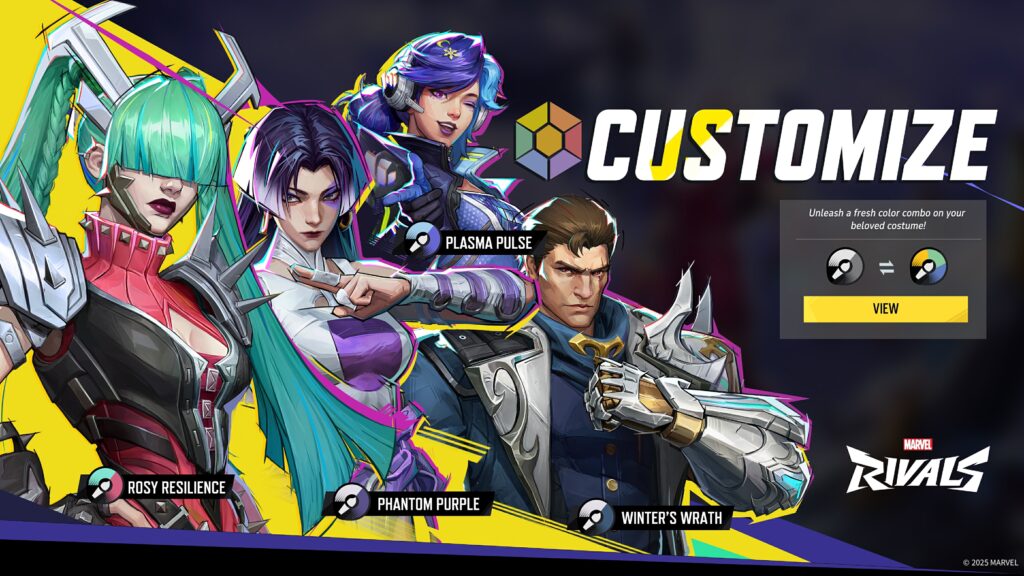
Skin customization is a feature in Marvel Rivals that lets players tweak the color combinations of their favorite costumes right from the Costumes tab. When you purchase a skin, you can now personalize it with different color options. The custom color will also affect the Intro Animation, MVP, and Emotes.
List of All Chromas/Color Customisation Skins
| Name of Skin | Chroma Name | Price |
|---|---|---|
| Phantom Purple | 600 Unstable Molecules | |
| Winter's Wrath | 600 Unstable Molecules | |
| Rosy Resilience | 600 Unstable Molecules | |
| Plasma Pulse | 600 Unstable Molecules | |
| Midnight Majesty | 600 Unstable Molecules | |
| Dune Daisy | 600 Unstable Molecules | |
| Majestic Mauve | 600 Unstable Molecules | |
| Neon Nimbus | 600 Unstable Molecules | |
| Radiant Reef | 600 Unstable Molecules | |
| Bluebell Breeze | 600 Unstable Molecules | |
| Verdant Vortex | 600 Unstable Molecules | |
| Blue Barrage | 600 Unstable Molecules | |
| psylockeBreezy Butterfly | Violet Veil | TBA |
| psylockeBreezy Butterfly | Moonlit Mirage | TBA |
| luna snowCool Summer | Radiant Radiance | TBA |
| luna snowCool Summer | Prismatic Pulse | TBA |
| thorWorthy Waves | Azure Skies | TBA |
| lokiRobe of Relaxation | Tidal Trickery | TBA |
Here’s a comparison between the default skins and their color-customized versions.
Blood Soldier Winter Soldier
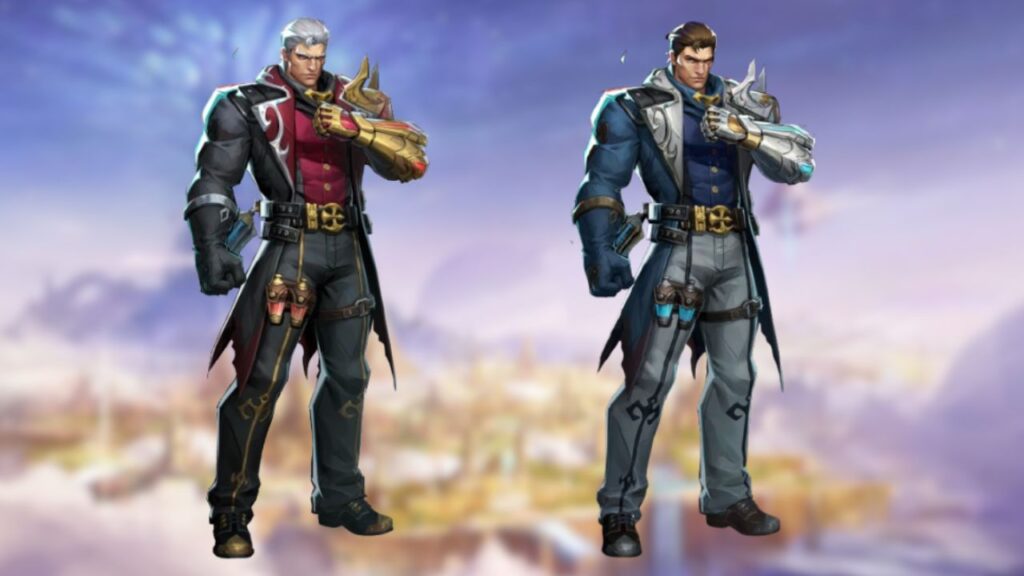
Side-by-side comparison of the Winter Soldier Blood Soldier skin with the new customization options.
Mirae 2099 Luna Snow
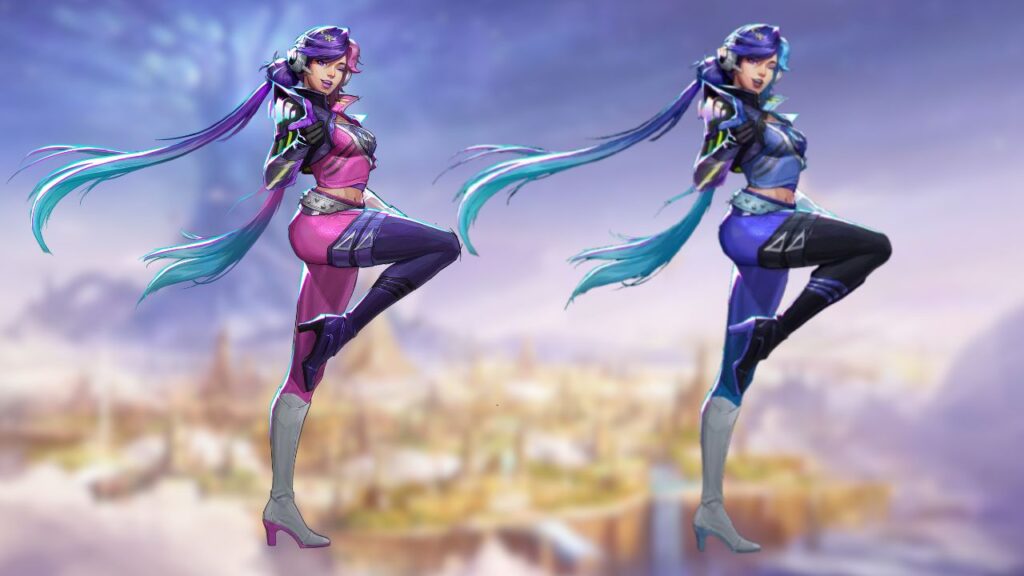
Side-by-side comparison of the Luna Snow Mirae 2099 skin with the new customization options.
Punkchild Magik
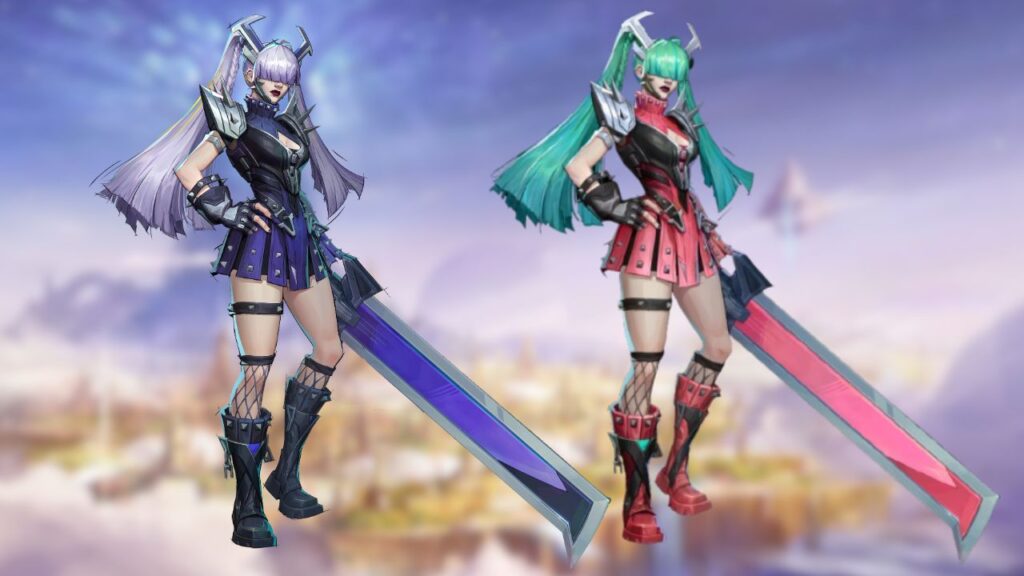
Side-by-side comparison of the Magik Punkchild skin with the new customization options.
Vengeance Psylocke
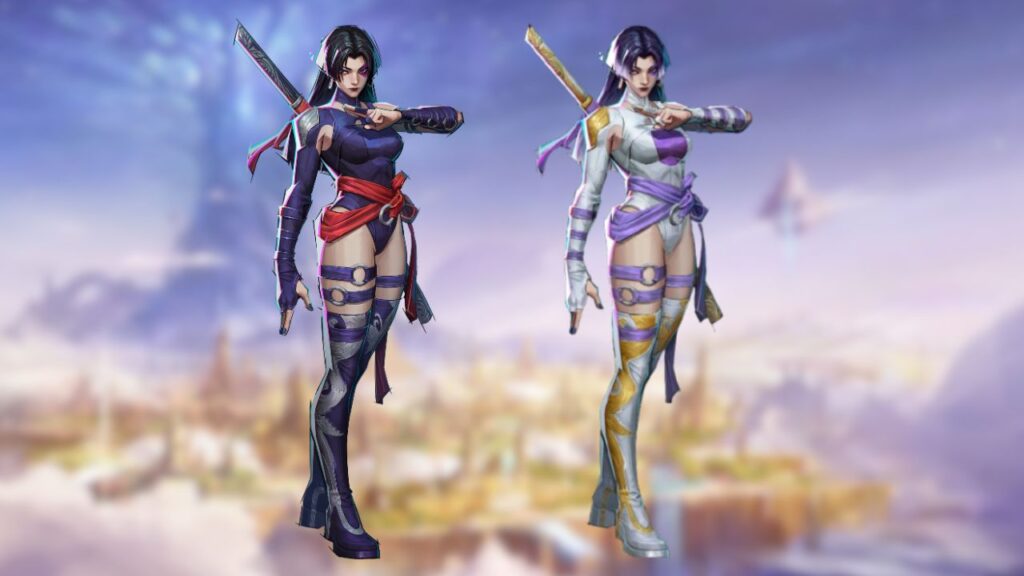
Side-by-side comparison of the Psylocke Vengeance skin with the new customization options.
Malice Invisible Woman
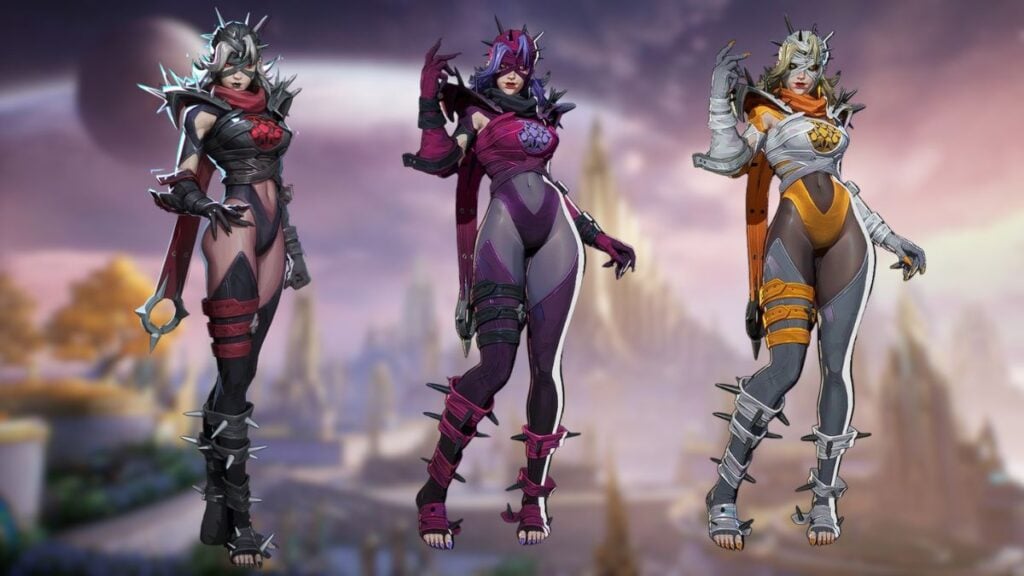
Side-by-side comparison of the invisible woman malice skin with the new customization options.
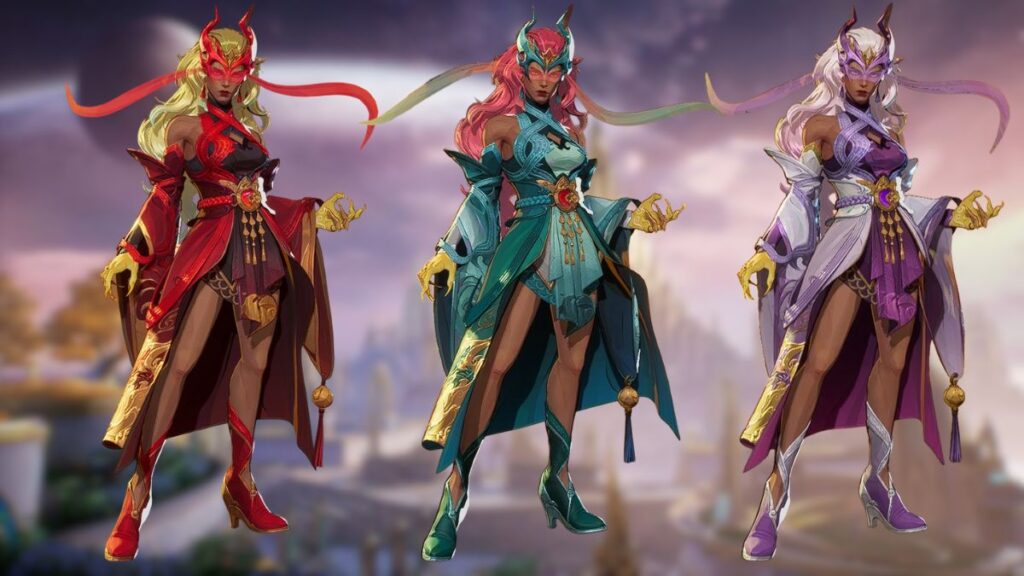
Immortal Sovereign Scarlet Witch
Side-by-side comparison of the scarlet witch Immortal Sovereign skin with the new customization options.
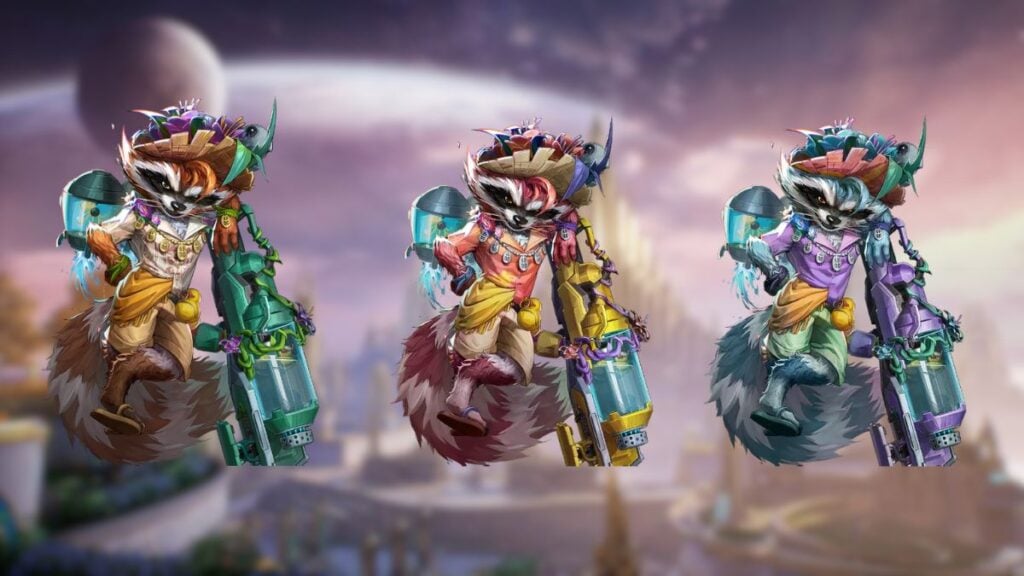
Sunshine Raccoon Rocket Raccoon
Side-by-side comparison of the Rocket Raccoon Sunshine Raccoon skin with the new customization options.
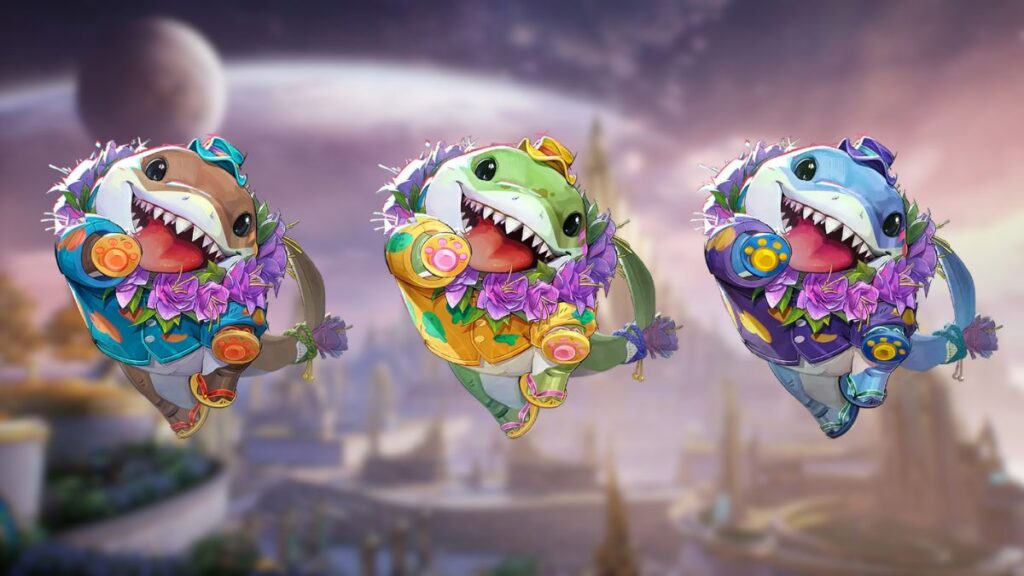
Sunshine Land Shark Jeff The Land Shark
Side-by-side comparison of the Jeff The Land Shark Sunshine Land Shark skin with the new customization options.
Is the Skin Customization Feature Free?
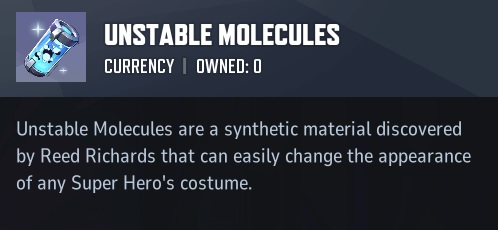
Unfortunately, the skin customization feature in Marvel Rivals comes at a price. Recoloring a costume will cost 600 Unstable Molecules, a new currency that has a 1:1 exchange rate with Lattice. Players can earn Unstable Molecules through various methods:
- Battle Pass rewards
- Special events (such as the Summer Party event)
- Exchange with Lattice currency
How to Customize a Skin?
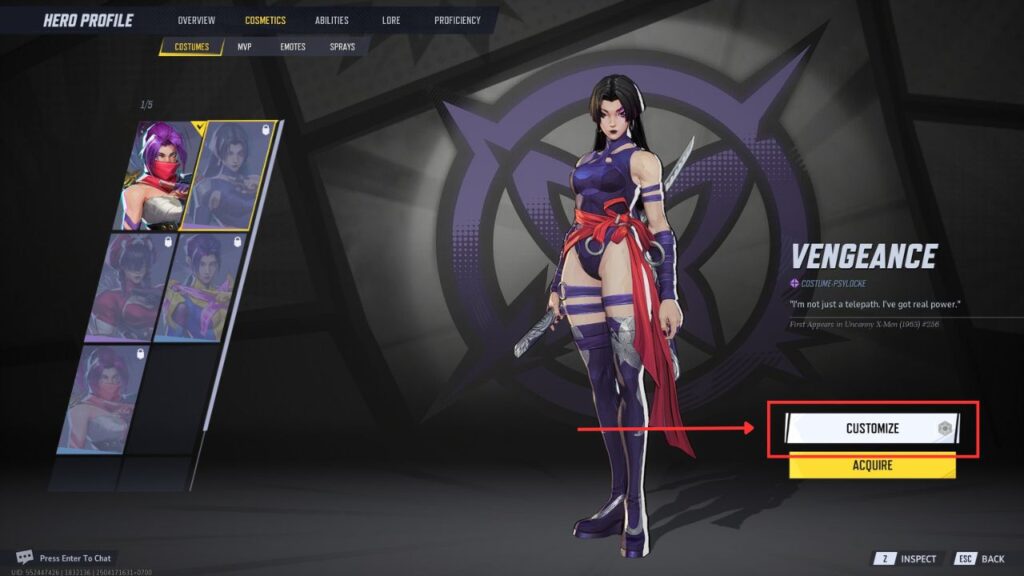
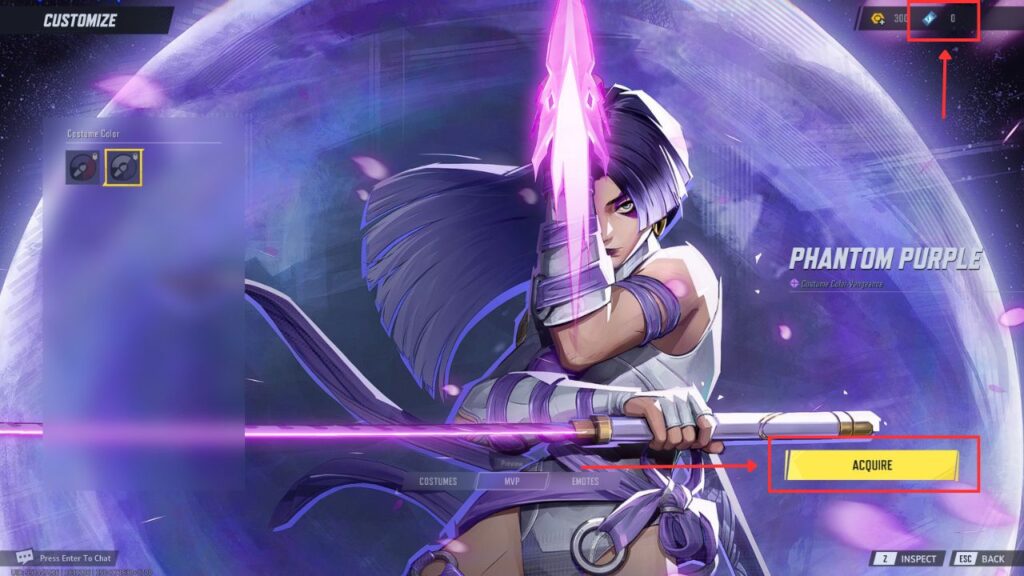
To be able to use the new skin customization feature, you need to:
- Go to the Hero Profile menu.
- Select the skin you want to customize in the Cosmetics tab.
- Click the Customize button on the right side of the screen.
- You'll see available color combos (e.g. Default and Phantom Purple).
- Purchase any locked color combo (like Phantom Purple) if you want to use it.
- Select the desired color combo to apply it.
- The color combo will be shown in menus and in-game.
- To change it later, just return to the Customize menu and pick another option.
That’s everything you need to know about the new skin customization feature in Marvel Rivals.