
Table of Contents
Deadpool is the first triple-role character released in Marvel Rivals Season 6. He can switch between Vanguard, Duelist, and Strategist roles, each featuring similar aiming mechanics with his dual Desert Eagles and dual katanas. Since Deadpool is primarily a hitscan character with his guns, a clean and simple crosshair design works best across all three roles. Below is a straightforward crosshair setup specifically designed for Deadpool that provides precise aiming without unnecessary complexity.
Note: While these settings work well for most Deadpool players, feel free to adjust them to match your personal playstyle.
Best Deadpool Crosshair in Marvel Rivals
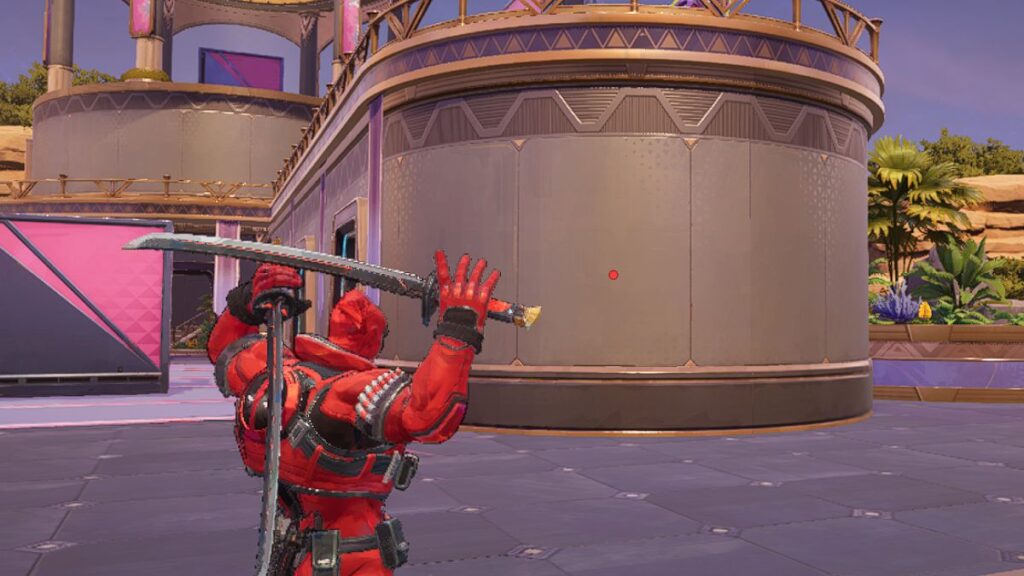
Deadpool's best crosshair is a simple center dot design. Since his dual Desert Eagles are hitscan weapons, there's no need for complex crosshair elements. Here's what the crosshair provides:
- Center Dot: A clean, simple dot that helps you aim precisely with Deadpool's dual Desert Eagles. Since his guns are hitscan, you hit exactly where the dot is placed, making this the most reliable aiming method across all distances and all three roles.
For his melee katana attacks, the crosshair isn't as critical since you'll be fighting at close range. Instead, rely on the Attack Range Hint setting to know when enemies are within striking distance.
Deadpool Reticle Code
Here's the code you can copy into Marvel Rivals:
| 1;0;6.0,100.0,0.0,29.0;100.0,0.0,100.0,100.0;50.0,100.0,0.0,0.0;100.0,45.0,100.0,100.0;0.0,0.0,0.0,0.0;33.0,92.0,0.0,33.0;1.0;100.0,0.0,100.0,100.0;0.0;5,3,1,1;0.0,0.0,0.0; | 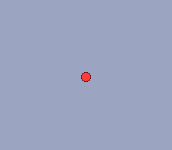 |
Crosshair Settings
| Setting | Value |
|---|---|
| Reticle Type | Dot |
| Reticle Animation | Off |
| Dot Width | 29 |
| Crosshair Width | - |
| Circle Width | - |
| Dot Opacity | 100 |
| Crosshair Opacity | - |
| Circle Opacity | - |
| Dot Outline Width | 0 |
| Crosshair Outline Width | - |
| Circle Outline Width | - |
| Dot Outline Opacity | 100 |
| Crosshair Outline Opacity | - |
| Circle Outline Opacity | - |
| Dot Blur | 0 |
| Crosshair Blur | - |
| Circle Blur | - |
| Crosshair Radius | - |
| Circle Radius | 0 |
| Crosshair Length | - |
| Crosshair Angle | - |
| Dot Color | Personal Preference |
| Crosshair Color | N/A |
| Circle Color | N/A |
Best Deadpool Hero Settings
| Setting | Value |
|---|---|
| Mouse Horizontal Sensitivity | 3-5 |
| Mouse Vertical Sensitivity | 3-5 |
| Invert Horizontal Look | Off |
| Invert Vertical Look | Off |
| Mouse Smoothing | Off |
| Mouse Acceleration | Off |
| Center Mouse in Background | Off |
| Dual Pistols Ultimate Ability Target Sensitivity | Under Construction |
| Dual Pistols Ultimate Ability - Upgrade - Target Sensitivity | Under Construction |
| Attack Range Hint | On |
| Raw Input | Off |
| Allied Health Bars | On |
Note: Since Deadpool was just released in Season 6, we are still testing different crosshair designs for him. We will update this guide as we learn more about what works best.
Optional Color Settings for Better Visibility
For improved visibility during gameplay, consider adjusting the enemy outline color:
- Navigate to Settings > Accessibility
- Change the Enemy Outline Color to Yellow
This provides better contrast and makes it easier to track enemies during chaotic fights. However, this is entirely based on personal preference, so feel free to use whichever color works best for you.
Important Note: Changing this setting will affect enemy outlines for ALL characters, not just Deadpool.

Why These Settings Work for Deadpool
Deadpool is a unique triple-role character who maintains consistent aiming mechanics across all three roles. His dual Desert Eagles are hitscan weapons, meaning bullets travel instantly to wherever your crosshair is pointed. This makes a simple center dot the most effective crosshair design for precise aiming.
For his dual katanas, the Attack Range Hint setting is more valuable than any crosshair design. This setting shows you when enemies are within melee range, allowing you to execute your katana combos effectively without relying on visual crosshair cues.